> For the complete documentation index, see [llms.txt](https://guides.fieldedgeapp.com/llms.txt). Markdown versions of documentation pages are available by appending `.md` to page URLs; this page is available as [Markdown](https://guides.fieldedgeapp.com/guide-to-canvassing-and-calls/extended-workflows/include-all-people-in-households.md).
# Include all people in households
If you have created a list, not just by geocoding, but by targeting people that match a specific criteria, you may end up with a list by where there are additional people in the households you are targeting but not on the list – meaning they won't show up in FieldEdge.
If you would like to also include people who live in the same household you can do so in NationBuilder. You can then choose to canvass or skip these individuals as well.
### Update the list with other household members
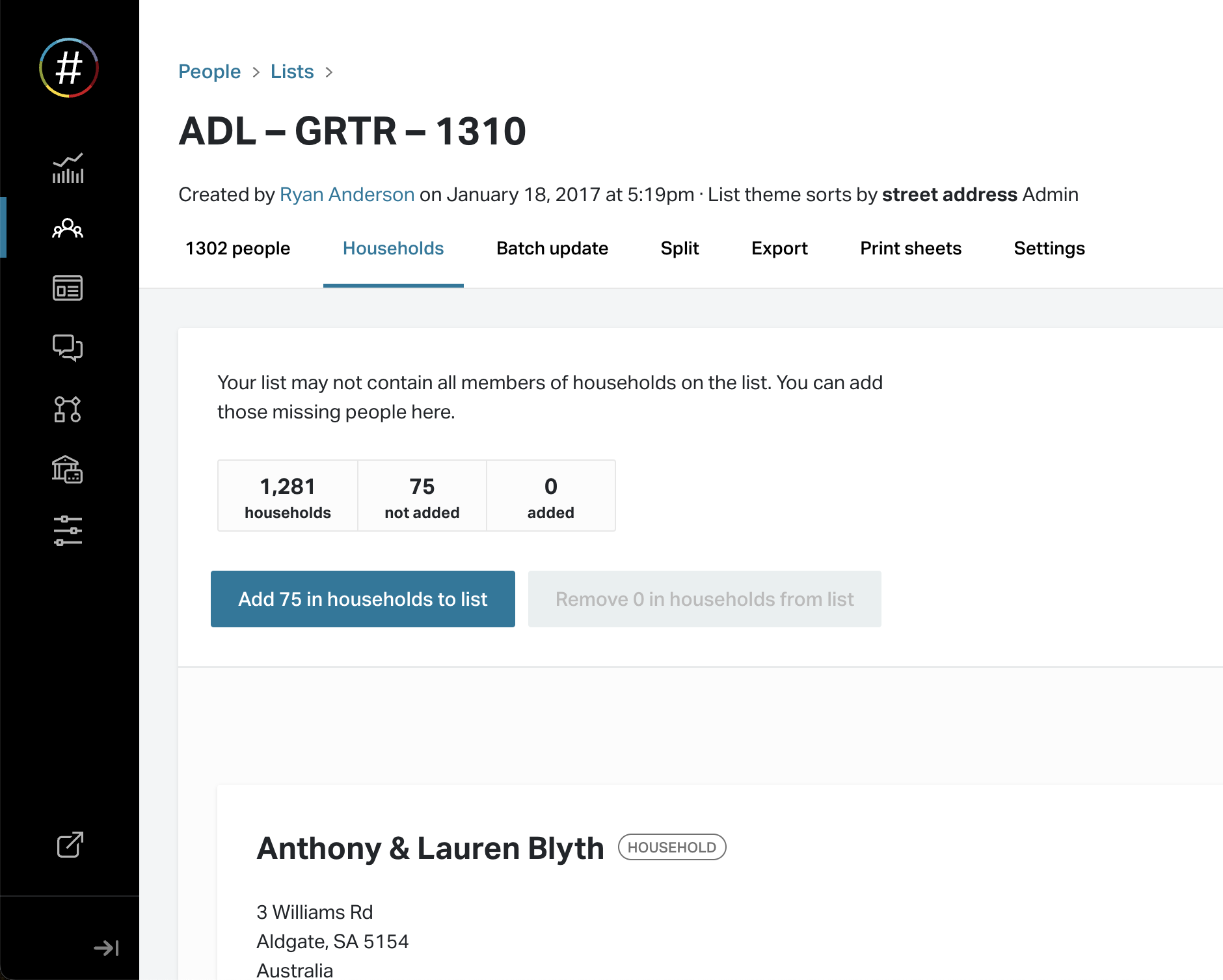
Open the list in NationBuilder and tap on the "Households" tab.
You will see the total number of people on the current list and the number of people who are members of households but not on the list.
To add the "missing" people, tap the "Add X in households to list" button.
### Identifying the primary contact(s) in the field
If you would like to know who is the primary contact and who isn't, while looking at the household in FieldEdge, you can do so with our tag highlighting feature.
1. Start by tagging everyone on the list before adding additional household members. You may already have an appropriate tag or you may want to add something like "Targeted Voter"
2. Add the additional household members
3. Go to FieldEdge HQ -> App Customization -> Tags and add the tag (eg. "Targeted Voter") to the list of highlighted tags
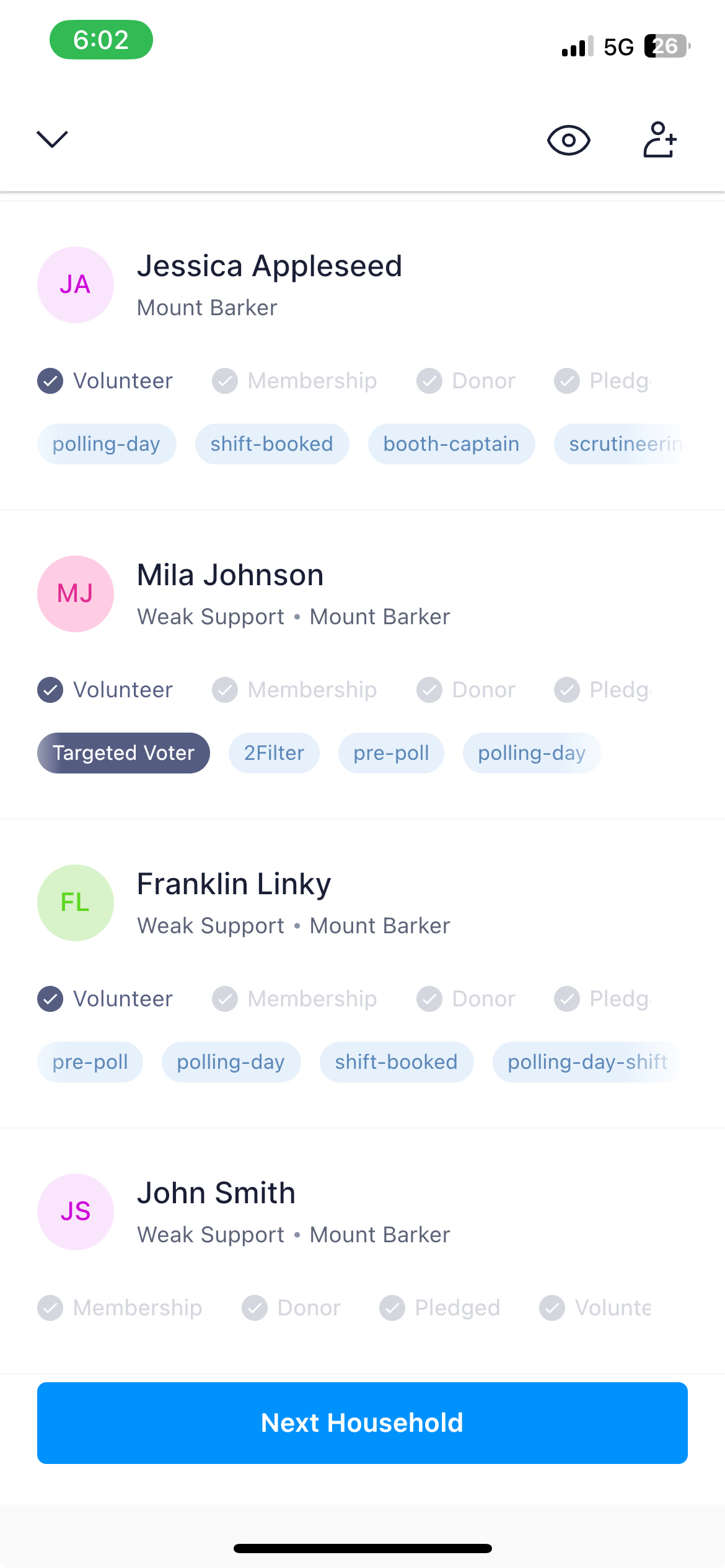
4. You may want to turn on displaying tags at a household level (as shown below) if not already turned on – contact us for assistance.
5. You will not see the Target Voter highlighted on the Household screen
6. You can choose to canvass the others in the household or skip them